Manage every screen. From one place.
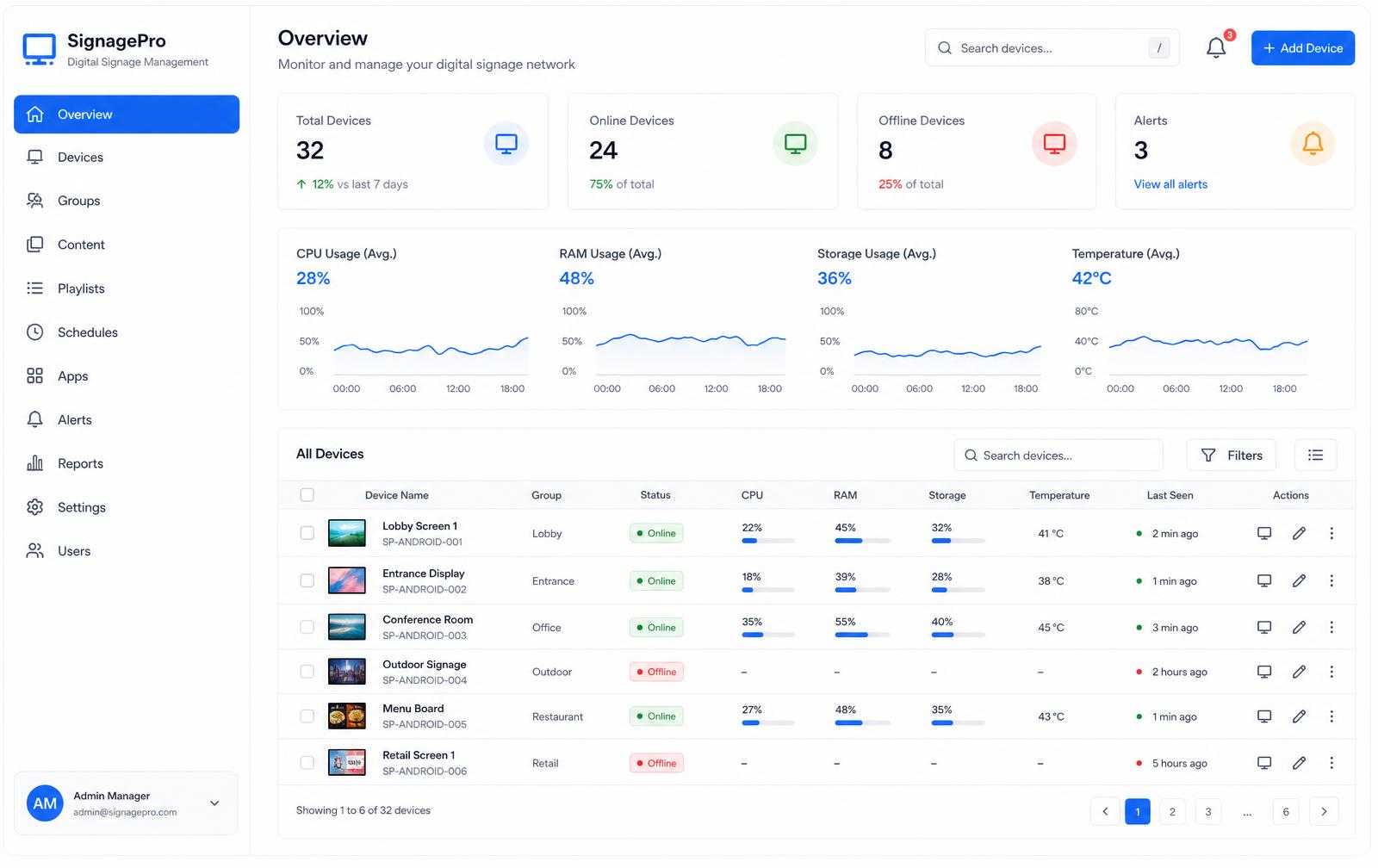
SignMDM shows you the health of every Android signage screen and kiosk you run, locks them to your content, and lets you reboot or remote in without leaving your desk.
Trusted by signage operators across the UK & Ireland
- Your logo here
- Your logo here
- Your logo here
- Your logo here
- Your logo here
The reality of running screens
You already know these four problems
A screen freezes and nobody knows until a customer complains.
Live telemetry flags the screen the moment its signage app stops or its storage fills — before anyone notices in the room.
Someone taps out of the signage app and lands on the Android desktop.
True kiosk lockdown pins the device to one app, hides the system bars and blocks the exits. PIN or remote command only.
An engineer drives two hours to reboot one panel.
Reboot, restart the app or take live remote control from the dashboard — including panels that can't be rooted.
Mixed hardware across sites and no single place to manage it.
Rooted players and commercial panels sit side by side, grouped by organisation and site, with profiles applied in bulk.
What you get
Built for signage, not phones
See your whole fleet, live
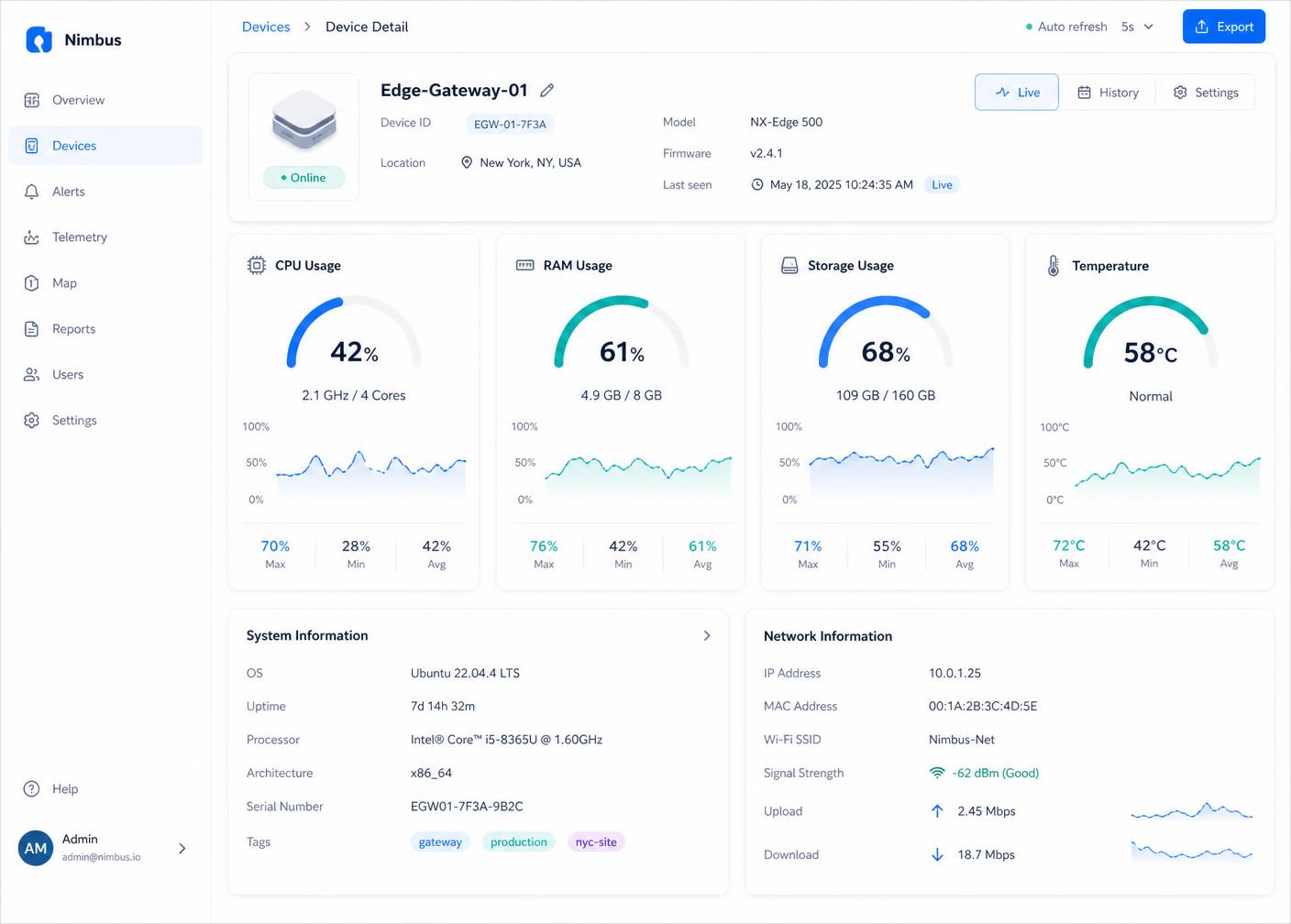
CPU, RAM, storage, temperature, app status and last-seen for every screen, grouped by site.
Lock it down properly
Single-app kiosk mode, hidden status and navigation bars, PIN or remote exit, orientation lock.
Fix screens remotely
Reboot, restart the signage app, screenshot, and take live remote view and control.
Works with your hardware
Rooted media players and commercial panels — MediaTek/MOKA (TCL), ViewSonic, Rockchip, Android 7–14.
One place, every site
Organisations, sites, bulk profiles and search across the entire estate.
Fits your workflowOn the roadmap
Helpdesk tickets, outbound webhooks and a REST API.
How it works
Enrol, monitor, lock down, support
- 01
Enrol
Install the agent, scan or paste the enrolment code, and the screen appears in your dashboard.
- 02
Monitor
Telemetry starts flowing immediately — health, storage, temperature and signage app status.
- 03
Lock down
Apply a device profile to a group: single-app kiosk mode, hidden bars, fixed orientation.
- 04
Support
Reboot, push an update, or take remote control the moment something drifts.
Kiosk lockdown
Your content, and nothing else
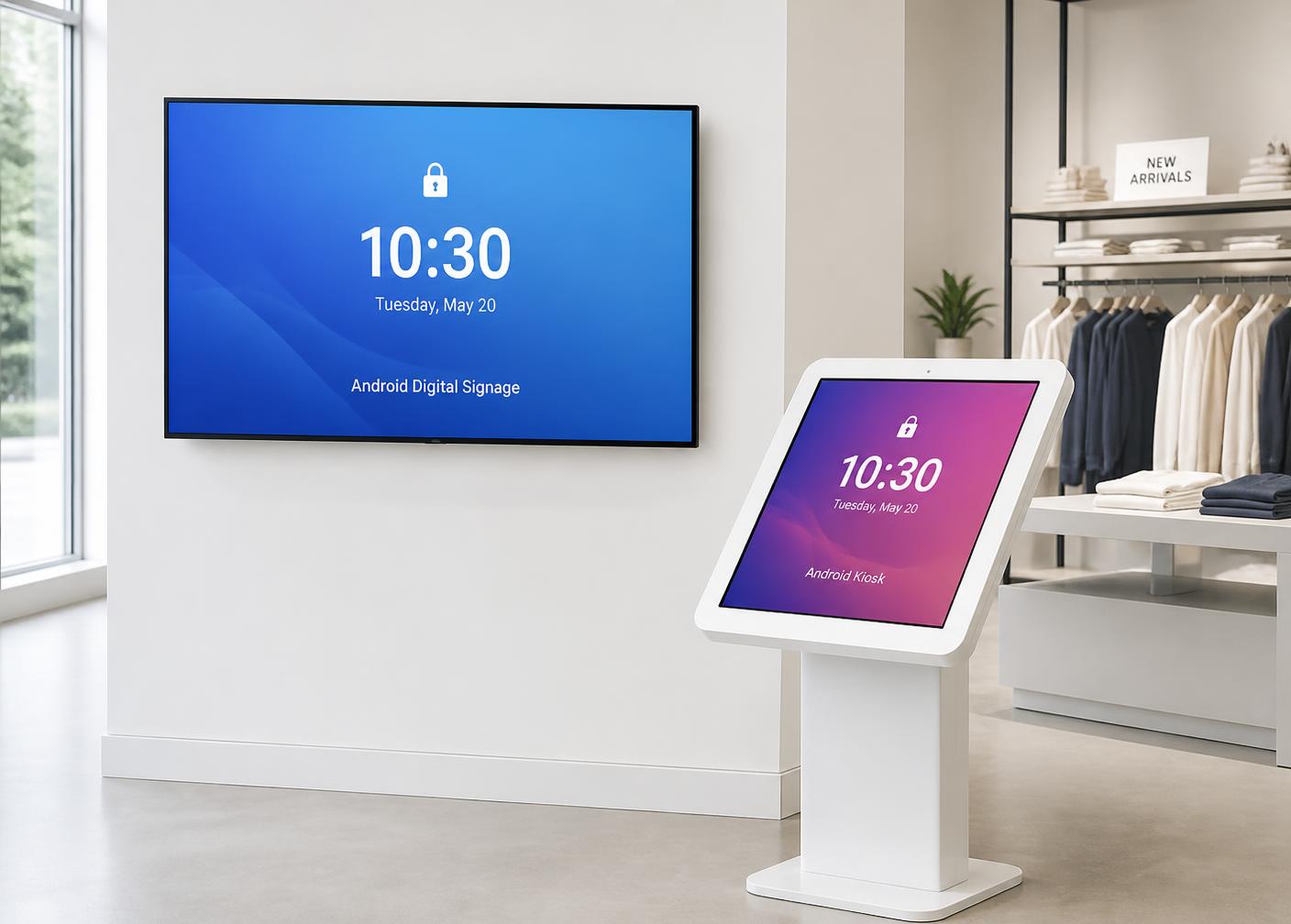
LockTask single-app mode with the status and navigation bars hidden, safe mode and factory reset disabled, and orientation pinned. Exit by PIN at the screen or by remote command from the dashboard.
Remote view & control
End the reboot truck roll
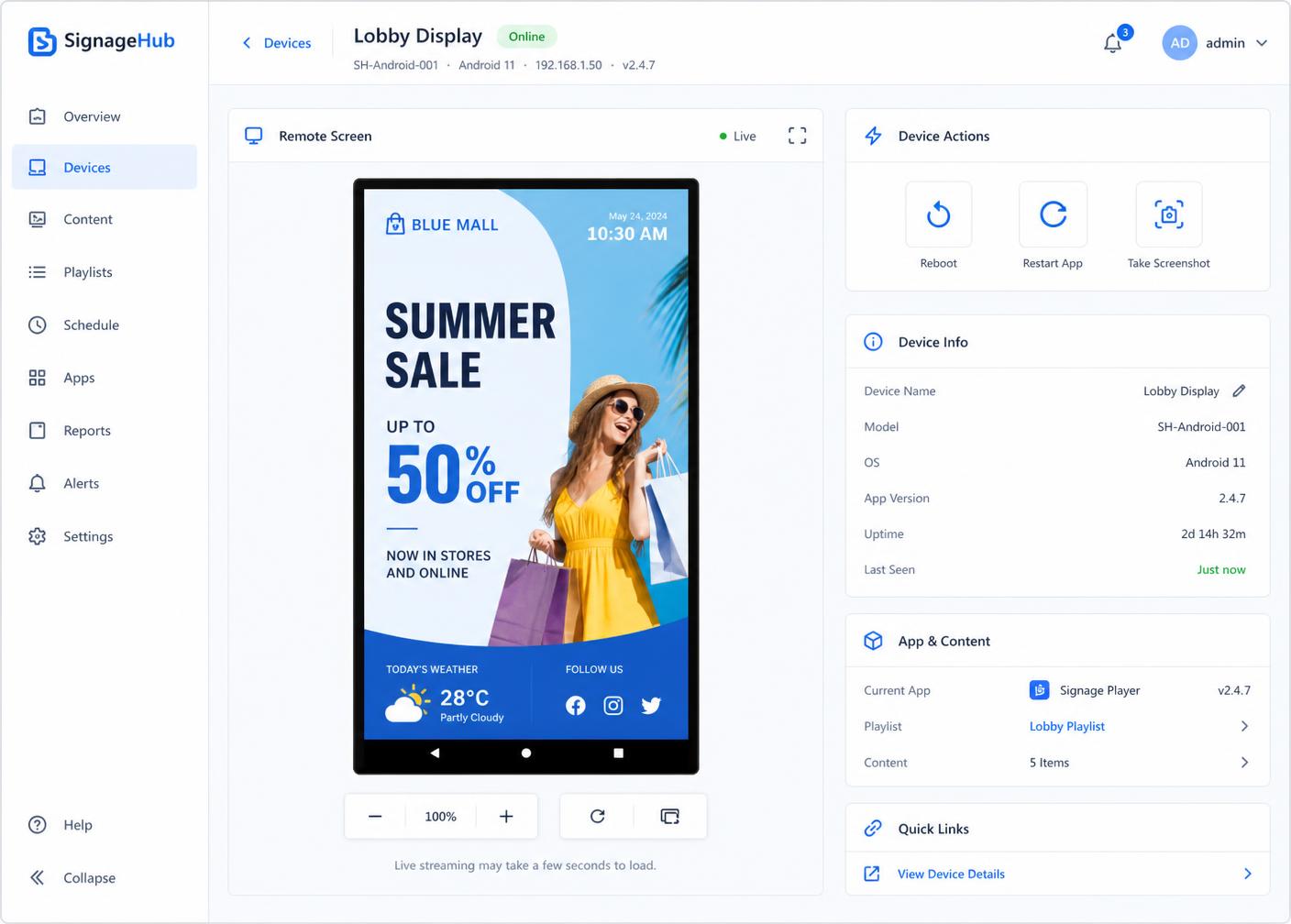
Open a live view of any screen and drive it. Reboot it, restart the signage app, grab a screenshot for the client report — from your desk, on any of your sites.
Live telemetry
Problems surface early
Storage above 90%, temperature above 60 °C, sustained high CPU, signage app not running — each one flags on the device before it becomes a black screen at the weekend.
Hardware & compatibility
Works with what's already on the wall
No rip-and-replace. If a panel can't be rooted, SignMDM reboots it through the manufacturer's own platform API instead.
- Android 7–14
- Old estates included.
- Rooted players
- Rockchip, MediaTek — full command set.
- Commercial panels
- MediaTek/MOKA (TCL), ViewSonic — no-root reboot.
Integrations
Hooks into the tools you run
Device alerts become helpdesk tickets, events fire as webhooks, and a REST API opens the estate to your own tooling. These are in development — flagged honestly rather than sold as shipped.
See integrationsHelpdesk ticketsOn the roadmap
Alerts to tickets, with device and site attached.
WebhooksOn the roadmap
Outbound events into Slack, Teams or your automation.
REST APIOn the roadmap
Read state and trigger actions from your own systems.
Illustrative example — not a real customer quote
“We used to send someone to site to reboot a frozen screen. Now it's a click, and we usually spot it before the client does.”
Ready to see your whole fleet?
A 30-minute walkthrough with a real fleet on screen. Bring your awkward hardware — we like those.